FiveM DLC cars, clothes or maps missing? Set sv_enforceGameBuild
DLC vehicles, clothing or maps are invisible or crash on your FiveM server. The sv_enforceGameBuild setting, the build number for each DLC, and what to check after.
Players say the new DLC cars are invisible, the clothing pack shows the wrong or empty items, or a map addon loads with holes. The assets are streamed, the resource starts with no error, and still the content is missing or broken.
The usual reason is the game build. FiveM runs older versions of GTA V by default, and newer DLC content only exists in newer builds.
Why content goes missing
GTA V receives DLC updates, and each one adds files to the game: vehicles, ped components, props, interiors. FiveM's default game build is old on purpose, so servers stay compatible with every player. If an addon was made for a newer build, a player on the default one lacks the base files it refers to, and you get invisible vehicles, missing clothes or crashes.
The fix is to tell the server which build players must use.
The fix: sv_enforceGameBuild
Add this to server.cfg:
set sv_enforceGameBuild 3258Put it near the top, before the ensure lines, then restart the server fully. Players who join next are asked to use that build.
Game builds and what they unlock
Pick the build for the newest DLC your content needs:
| Build | DLC |
|---|---|
| 2189 | Cayo Perico Heist |
| 2372 | Los Santos Tuners |
| 2545 | The Contract |
| 2699 | Criminal Enterprises |
| 2802 | Drug Wars |
| 2944 | San Andreas Mercenaries |
| 3095 | Chop Shop |
| 3258 | Bottom Dollar Bounties |
| 3407 | Agents of Sabotage |
A higher build includes everything from the lower ones. If your pack needs Tuners content, 2372 is enough, but 3407 also works. Each new DLC adds a newer build; the FiveM docs list the latest ones your server artifacts support.
Tip: do not set the highest build "just in case". Each step makes players download more and can change behavior of older assets. Use the lowest build that covers your content.
What happens when players join
The first time someone joins a server that enforces a build they do not have, FiveM downloads that game build. This can take a few minutes and may need the game to restart. After that it is cached, and joining is normal again.
Tell your players about it in your Discord, or a first-time join looks like the server is frozen. Players who already use another build for other servers get asked again when they switch back.
Higher builds need assets updated
A newer game build changes base game files, and some older assets do not expect that. Watch for:
- Add-on vehicles with old handling or meta files: they usually still work, but check them.
- Clothing packs built for an older build: check that saved outfits still look right after the change.
- MLOs and map mods: interiors that replace the same area as a new DLC change may overlap with it.
- Scripts that hardcode model hashes or ped components: check their update notes.
Test on a copy of the server, with a clean client, before you raise the build on a live one. Look at your resources in the console for new errors after the change, and see read a FiveM script error if you have trouble reading them.
If your assets are large, the problem may be a different one, such as a texture loss caused by oversized files. That is covered in oversized assets and texture loss.
Make sure it applied
Two checks:
- Look at the line in
server.cfg. A leading#comments it out, and a typo in the name means it is ignored. The name issv_enforceGameBuild, with that capitalization. - On the client, use a small script to print the build in use:
-- client.lua
CreateThread(function()
    Wait(5000)
    print('Game build: ' .. GetGameBuildNumber())
end)
Press F8 in game to read the console. It should print the number you set.
If the build is wrong, check that the line is in the server.cfg that really runs (the path is at the top of the txAdmin console) and that you restarted the server rather than a single resource.
When it is not the build
Missing content has other causes. If the build is right and a car or clothing item is still missing:
- The resource is not started, or it started with an error.
- The stream folder has a file in the wrong place, or a wrong name.
- The
fxmanifest.luais missing adata_fileline the asset needs. - The player's cache is stale. See clearing the FiveM cache.
For adding vehicles correctly, see adding add-on cars to FiveM.
Checklist
| Symptom | Fix |
|---|---|
| DLC vehicles invisible | Set set sv_enforceGameBuild to the DLC's build and restart |
| Clothes empty or wrong | Same, and check the pack matches the build |
| Which number | 2189 Cayo, 2372 Tuners, 2545 Contract, 2699 Criminal Enterprises, 2802 Drug Wars, 2944 Mercenaries, 3095 Chop Shop, 3258 Bottom Dollar Bounties, 3407 Agents of Sabotage |
| Players wait a long time on first join | They are downloading the build, tell them in advance |
| Old assets act strange after raising it | Test each asset, update or replace it |
| Setting seems ignored | Wrong server.cfg, a #, or the server was not restarted |
Quick answers
What does sv_enforceGameBuild do?
It forces every player to run a specific GTA V game build when they join your server. Higher builds unlock the content from newer DLCs, such as vehicles, clothing and map changes.
Which build should I pick?
The one that matches the newest DLC content your assets need. If you are not sure, take the build of the DLC your newest vehicle or clothing pack came from, and test it with a clean client.
Do players have to download something?
Yes. The first time a player joins a server that enforces a newer build, FiveM downloads that game build, which can take a while and needs a restart of the game.
Scripts that skip this problem
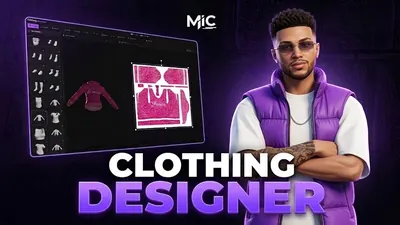 Clothing DesignerDesign clothing inside FiveM — brush, layers, image import and AI — then wear it.View script →
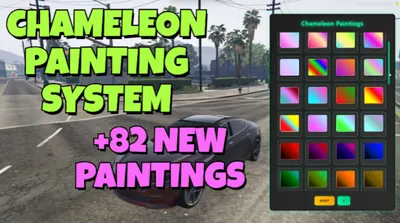 Chameleon Paints82 colour-shifting chameleon paints in one click-to-apply menu.View script →
 Mic PhoneA foldable phone that unfolds into a tablet and carries onto a player's real phone.View script →