Oversized assets can and WILL lead to streaming issues: the fix
Fix the FiveM 'Oversized assets can and WILL lead to streaming issues' warning, texture loss and a city that won't load: the 16 MB limit and how to shrink assets.
In the client console (F8) or at resource start:
Oversized assets can and WILL lead to streaming issuesThe message names a resource and the files that are too big. If you have also seen grey or flat textures, buildings that pop in late, or a city that never fully loads, they have the same source. This guide explains the limit, how to find the heavy files and how to shrink them.
What the warning means
Every streamed file (a model, a texture dictionary, a map piece) has to fit in the game's streaming memory. Textures (.ytd, .ytf) are the heaviest. FiveM checks the physical memory size of each streamed asset, and warns when a file goes above its limit, which is 16 MB for .ytd and .ytf files.
The warning is not a crash by itself. But a file above the limit is the one that is most likely to fail to load, and it takes space from everything else. Many oversized files together make the problem much worse.
Signs on your server
- The warning text in the console, with the resource name and file.
- Textures that stay low quality, grey or flat, or that suddenly vanish.
- Buildings and roads that load late, or a city that does not load while you stand in it.
- Vehicles that spawn with no wheels, no paint or as a white shell.
- Players with weaker PCs that crash or freeze more often than others.
These signs show for some players first. A machine with less video memory or RAM hits the limit sooner than a strong one, which is why you can have a server that works for you and fails for your players.
Step 1: find the heavy files
Start with the warning: it lists the resource and often the file. Then check in the resource folder, in stream, for the largest files. On Windows, open the folder and sort by size. Note that the number that matters is the memory size once loaded, which can be bigger than the file on disk, but the largest files on disk are still the first suspects.
Get-ChildItem -Recurse -Include *.ytd,*.ytf,*.yft,*.ydr .\resources |
  Sort-Object Length -Descending |
  Select-Object -First 20 FullName, @{n='MB';e={[math]::Round($_.Length/1MB,1)}}
This lists the 20 biggest streamed files of your resources folder. Run it from your server folder.
Tip: the biggest offenders are nearly always car packs with 4K textures, clothing packs, and custom maps with large texture dictionaries.
Step 2: shrink the textures
Most oversized files are textures that are bigger than they need to be. A car or a shirt seen on a screen does not need a 4096 by 4096 texture for every part.
- Lower the texture resolution in the
.ytd. A texture editor such as OpenIV can open a.ytdand show each texture with its size. Texture tools can also resize and recompress them. Going from 4096 to 2048 pixels cuts the memory by about three quarters, and the difference is hard to see in game. - Use a compressed format. Texture dictionaries use DXT-style compression. A texture saved in a bigger, uncompressed format is much heavier for no gain.
- Remove what is unused. A
.ytdoften holds textures that no model uses, such as extra liveries. Delete them. - Split a huge file. If one dictionary holds more than it needs to, a tool can split it into smaller ones. Keep texture names matched to the models that use them.
Always work on a copy, and test the car or the clothing in game after each change. A broken texture name or a missing texture shows at once as a checkered or white surface.
If a stream folder is not yours (for example a paid pack), ask the author for a lighter version. Do not edit encrypted files.
Step 3: too many addon cars
A server with 300 high resolution addon cars has a problem, even if every single file is below 16 MB. Cars are loaded as players see them, and each one uses model and texture memory. Some ways to stay within the budget:
- Remove cars nobody uses. Check what players really drive.
- Choose cars with a reasonable size, and skip packs of "ultra" quality that are bigger than the rest.
- Keep one version of a car, not three variants with different textures.
More on cars in how to add addon cars to FiveM.
Step 4: what your players can change
A fix on the server is the only one that holds, but a player with a weak PC can ease the issue while you work:
- Lower texture quality in the graphics settings of GTA V.
- Lower the population density and the extended distance scaling.
- Close other programs to leave more RAM and video memory free.
- Clear the game cache if textures stay broken after you fixed the files: see clear the FiveM cache.
Prevent it on a new resource
Before you add a pack, check its size on disk. A stream folder of several hundred MB for one car or one outfit is a warning sign. Add the resources one at a time, then start the game and read the F8 console. If the warning appears after one specific resource, you found the one that causes it, and you can fix or remove it before it affects players.
Checklist
| Symptom | Fix |
|---|---|
| Oversized assets warning for a file | Reduce the file below 16 MB (resize and compress textures) |
| Textures grey, flat or vanishing | Find the oversized .ytd and shrink or remove it |
| City does not load | Too much heavy content: remove unused addon cars and packs |
| Car spawns white | Check the .ytd is present, valid and not oversized |
| Only some players affected | Lower texture quality and population density on their side |
| Textures still broken after the fix | Clear the client cache |
| Not your files | Ask the author for a lighter version |
Quick answers
What size limit triggers the oversized assets warning?
FiveM warns when a streamed asset such as a .ytd or .ytf file is above about 16 MB in physical memory size. Heavier files can fail to stream properly.
Why do textures disappear or the city does not load?
The game has a limited streaming memory budget. Very large files, or too many heavy addon cars and clothes loaded at once, use it up, and other textures and map parts do not get loaded.
Can the player fix it with their graphics settings?
It helps. Lower texture quality uses less memory, and closing other programs frees RAM, but the real fix is to remove or shrink the oversized assets on the server.
Scripts that skip this problem
 Clothing DesignerDesign clothing inside FiveM — brush, layers, image import and AI — then wear it.View script →
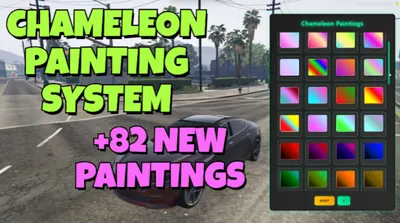 Chameleon Paints82 colour-shifting chameleon paints in one click-to-apply menu.View script →
 Advanced BoostingTablet-driven vehicle boosting: contracts from class D to S+, crews and a live queue.View script →