Add EUP and addon clothing packs to FiveM: stream, meta, fixes
Install addon clothing packs (EUP style) on FiveM: stream files, ymt and meta, addon vs replace, game build, and why clothes are invisible or swap other items.
You added a clothing pack, often a police or EMS set in the style of EUP, and the clothes do not show, show the wrong item, or replace something you wanted to keep. This guide explains how addon clothing is streamed, how it differs from replace packs, and what to check when items are invisible.
Two ways to add clothes
Replace packs overwrite items that already exist in the game. The files use the names of base game drawables, and FiveM loads yours instead of the original. They are simple, but the old item is gone and two replace packs that touch the same number fight each other.
Addon packs are a separate collection that the game loads next to the base clothes. Their items get new numbers at the end of the list for each component, and nothing from the base game is lost. This is the right way for almost all packs today, and for large collections.
What an addon pack contains
For the male and the female freemode ped (mp_m_freemode_01 and mp_f_freemode_01), an addon pack has:
- A folder of models and textures:
.yddfiles for the drawables (jackets, pants, shoes) and.ytdfiles for their textures. - A
.ymtfile that lists the pack's components. - A
.metafile, the shop definition, which names the collection and its items.
The files follow a naming pattern based on the ped and the pack name, for example mp_m_freemode_01_mp_m_mypack. The author sets the real names, and the meta, the .ymt and the folder must all use the same ones. Do not rename any of them.
Folder structure and manifest
resources/[clothes]/mypack/
  fxmanifest.lua
  stream/
    mp_m_freemode_01_mp_m_mypack/
      jbib_000_u.ydd
      jbib_diff_000_a_uni.ytd
      ...
    mp_m_freemode_01_mp_m_mypack.ymt
  mp_m_freemode_01_mp_m_mypack.meta
The manifest registers the meta file:
fx_version 'cerulean'
game 'gta5'

files {
    'mp_m_freemode_01_mp_m_mypack.meta',
}

data_file 'SHOP_PED_APPAREL_META_FILE' 'mp_m_freemode_01_mp_m_mypack.meta'
A pack for both sexes has a second meta for mp_f_freemode_01, with its own files entry and data_file line. Use the manifest the pack came with when it has one, and do not mix the clothes of two packs into one folder: one resource per pack makes problems easy to find.
Add ensure mypack to server.cfg and restart.
Game build requirement
Addon clothing is built on the newer DLC clothing system, which needs a recent game build to work well. A pack can ask for a specific build, so check its page. If the clothes are missing only for some players, or you see broken items, set the build in server.cfg:
set sv_enforceGameBuild 3095Use the number the pack asks for. The side effects and the numbers are in sv_enforceGameBuild and DLC.
Why clothes are invisible
Work through this list:
- The textures are missing. An item with no
.ytd, or with a texture letter missing, shows as invisible or as a white or bare body part. Compare the textures with the.yddfiles:_diff_000_ais the first texture of the first drawable,_bthe next, and so on. - The names do not match. The folder, the
.ymtand the meta must use the same pack name. One different letter and the game finds nothing. - The manifest has no
data_fileline. The files are streamed but the shop definition never loads. - The game build is too low. See above.
- The player is not a freemode ped. Freemode clothes only work on
mp_m_freemode_01andmp_f_freemode_01. They do nothing on an addon ped. - The clothing menu cannot see addon items. Some menus have a fixed list or a hard limit of items per slot. Check the menu's config and its update notes. A menu that asks the game how many items a slot has will show the addon items too.
Why clothes swap other items
- A replace pack overwrote them. If the files use base game numbers, they overwrite the items there. Install the clothes as an addon pack instead.
- Two packs use the same collection name. Two resources with the same pack name write over one another. Rename one pack consistently in the folder, the
.ymtand the meta, or remove one. - Saved outfits point to a changed list. Skin data stores an item number. When you add or remove a pack, the numbers after it move, and saved characters wear different clothes. Add new packs at the end, and avoid removing a pack that players already use.
Drawable limits
The game limits how many items one slot can hold, and an addon pack has its own limit per slot. A pack that is too large can lose the items past that limit, and a server with many packs can run into the total. In practice:
- Keep each pack to a reasonable size and split large collections into several packs.
- Heavy textures cost streaming memory, and too much of it causes missing textures: see oversized assets.
- If you design your own clothes, a tool made for it is easier than editing meta files by hand.
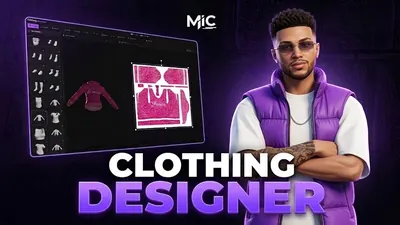 Clothing DesignerDesign clothing inside FiveM — brush, layers, image import and AI — then wear it.from €24.20View script →
Checklist
| Symptom | Fix |
|---|---|
| Clothes invisible | Check .ytd textures, matching names and the data_file line |
| Items missing for some players | Raise sv_enforceGameBuild to the build the pack needs |
| New clothes replace old ones | Use an addon pack, not a replace pack |
| Two packs conflict | Give each a unique collection name, one resource per pack |
| Saved characters change clothes | Do not remove or reorder packs in use |
| Items past a point are missing | Split the pack: slots have a limit |
Quick answers
What is the difference between addon and replace clothing?
Replace clothing overwrites existing items by using their file numbers, so the old item is gone. Addon clothing is a separate pack that adds new items after the base game ones and leaves the originals alone.
Why are my new clothes invisible?
Common causes are missing .ytd textures, file names that do not match the meta, an outdated game build, or a clothing menu that does not read addon items.
Why do new clothes swap other items?
Two packs use the same slot and number, or a replace pack overwrote the item. Addon packs with unique names, one resource per pack, avoid it.
Scripts that skip this problem
Clothing DesignerDesign clothing inside FiveM — brush, layers, image import and AI — then wear it.View script → Shop CreatorBuild a shop in under a minute — owners, employees, vaults and robberies included.View script →
 Mic PhoneA foldable phone that unfolds into a tablet and carries onto a player's real phone.View script →