How to add addon cars to a FiveM server: stream and data files
Add addon cars to FiveM step by step: the stream folder, vehicles.meta, carvariations.meta, carcols.meta, handling.meta, fxmanifest data_file lines, addon vs replace.
You have a car pack you want on your server, and the folder holds files such as .yft, .ytd and several .meta files. This guide explains where each file goes, what the fxmanifest.lua needs and how to spawn the car, with the difference between addon and replace cars.
What an addon car pack contains
A car comes in two kinds of files:
- Model and texture files, which go in a
streamfolder:mycar.yft(the model),mycar_hi.yft(the high detail model),mycar.ytd(textures) and sometimes.ydror.ytypfiles. - Data files, which go in a
datafolder:vehicles.meta,carvariations.meta,carcols.metaandhandling.meta, and sometimesvehiclelayouts.meta.
The first set is what the car looks like, the second set is what it is: its name, colours, handling and seats.
The folder structure
Create one resource for the car, or one for a whole pack:
resources/[cars]/mycar/
  fxmanifest.lua
  stream/
    mycar.yft
    mycar_hi.yft
    mycar.ytd
  data/
    vehicles.meta
    carvariations.meta
    carcols.meta
    handling.meta
Files in stream are sent to players automatically. You do not list them in the manifest. Files in data are not streamed, and the manifest must declare them.
The fxmanifest.lua
fx_version 'cerulean'
game 'gta5'

files {
    'data/vehicles.meta',
    'data/carvariations.meta',
    'data/carcols.meta',
    'data/handling.meta',
}

data_file 'HANDLING_FILE' 'data/handling.meta'
data_file 'VEHICLE_METADATA_FILE' 'data/vehicles.meta'
data_file 'CARCOLS_FILE' 'data/carcols.meta'
data_file 'VEHICLE_VARIATION_FILE' 'data/carvariations.meta'
The files {} block makes the files available to the game client. Each data_file line tells the game what type a file is. Two rules matter:
- Each file needs both: one entry in
filesand onedata_fileline with the right type. - A pack with many cars often has a
datafolder per car. You can use a pattern such as'data/**/*.meta'infiles {}, but thedata_filelines for these files must still be written, one per type, and the type lines accept the same pattern.
files { 'data/**/*.meta' }

data_file 'HANDLING_FILE' 'data/**/handling.meta'
data_file 'VEHICLE_METADATA_FILE' 'data/**/vehicles.meta'
data_file 'CARCOLS_FILE' 'data/**/carcols.meta'
data_file 'VEHICLE_VARIATION_FILE' 'data/**/carvariations.meta'
If the pack also has a vehiclelayouts.meta, declare it too, with data_file 'VEHICLE_LAYOUTS_FILE' 'data/vehiclelayouts.meta'.
Start it and spawn it
In server.cfg, add the resource:
ensure mycarThe resource folder name and the ensure name must match. If you use a bracket folder such as [cars], ensure [cars] starts everything inside it.
The spawn name is the modelName in vehicles.meta:
<Item>
  <modelName>mycar</modelName>
  <txdName>mycar</txdName>
  <handlingId>MYCAR</handlingId>
  ...
</Item>
Here you spawn it with mycar. In a script:
local model = joaat('mycar')
lib.requestModel(model)
local veh = CreateVehicle(model, coords.x, coords.y, coords.z, heading, true, false)
lib.requestModel is from ox_lib. Without it, call RequestModel(model) and wait until HasModelLoaded(model) is true. Most admin menus and the txAdmin menu spawn a car from the same name.
Tip: the
modelName, the.yft/.ytdfile names and thetxdNameshould all agree. A mismatch is the first thing to check when a car does not appear.
Addon cars versus replace cars
An addon car has a new name that the base game does not use, for example mycar. It needs the data files above, and adds a car to the list. Both your new car and the original cars exist. This is the right choice for almost all cars today.
A replace car uses the file names of a car from the base game, such as sultan.yft, and puts them in a stream folder. FiveM then loads yours instead of the original, everywhere that car appears, including traffic. It usually needs no vehicles.meta for the model, as the game already knows the name. A replace car only changes the look. If you want other handling, you need the matching handling.meta with the original handling id.
Do not mix the two ideas in one folder. A pack that mixes replace and addon files is a common source of confusing bugs.
Check the result
- Start the server and read the console. Resource errors, such as a missing file listed in
files, appear on start. If the resource does not start at all, see couldn't start resource. - Join and spawn the car. If a car is not found, the name does not match the
modelName, or the resource is not started. - Open the car's colours and handling in game to check the
carcols.metaandhandling.metafiles are in use.
Common problems
- The car does not exist. Check
ensure, thefilesentries and themodelName. A spelling mistake in a path infilesstops the resource. - The car is invisible, or white, or has wrong textures. The
.ytdis missing or named differently from the model. See oversized assets if you also see streaming warnings. - The car handles like a stock car. The
handling.metais not declared, or itshandlingIddoes not match the one invehicles.meta. - A DLC based car shows as broken. Some cars need a newer game build. Set one with
sv_enforceGameBuildinserver.cfg: see sv_enforceGameBuild and DLC.
Checklist
| Symptom | Fix |
|---|---|
| Resource does not start | Check each path in files {} exists and the manifest has no typo |
| Car cannot be spawned | Spawn with the modelName from vehicles.meta; ensure the resource |
| Car is white or has no textures | Check the .ytd file and its name against the model |
| Car handles wrong | Add the HANDLING_FILE line and match the handlingId |
| No colours or wrong colours | Add CARCOLS_FILE and VEHICLE_VARIATION_FILE lines |
| Original car changed | You used a replace name: rename the files and the model for an addon |
| Car broken with a DLC model | Raise the game build with sv_enforceGameBuild |
Quick answers
What name do I use to spawn an addon car?
The modelName value in vehicles.meta. If it says <modelName>mycar</modelName>, you spawn it with mycar, which must match the names of the .yft and .ytd files too.
What is the difference between an addon car and a replace car?
A replace car overwrites a car from the base game by using its file names, so the original is gone. An addon car has a new unique name and its own meta files, and sits next to the original cars.
My car spawns but drives wrong or looks white. What should I check?
Wrong handling points to handling.meta and its data_file line. A white or missing-texture car points to a missing .ytd or a name that does not match the model.
Scripts that skip this problem
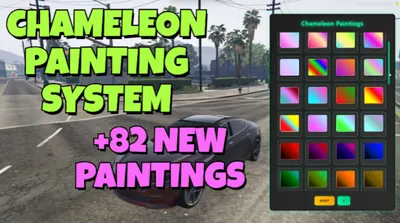 Chameleon Paints82 colour-shifting chameleon paints in one click-to-apply menu.View script →
 Advanced BoostingTablet-driven vehicle boosting: contracts from class D to S+, crews and a live queue.View script →
 Car BombPlant, detect and defuse vehicle bombs — with a detonator phone and a C4 minigame.View script →