FiveM cursor stuck or can't move after closing a menu: NUI focus fix
Cursor stuck on screen or can't move after closing a menu? How SetNuiFocus works, closing with a NUI callback, handling ESC in JavaScript and finding the culprit.
You close a menu, and one of these happens:
the mouse cursor stays on screen
the character will not move or look around
the keyboard does nothing until you reconnect
Nothing shows in the console, because nothing is wrong with the code that runs: it just never gave the focus back. Here is how focus works, how to close a menu properly and how to find the culprit.
How NUI focus works
A NUI is a web page (HTML, CSS and JavaScript) that FiveM draws over the game. While it has focus, mouse and keyboard go to the page instead of the game. A script gives and takes focus with one native:
SetNuiFocus(hasFocus, hasCursor)SetNuiFocus(true, true): the NUI gets the keyboard and the mouse, and the cursor shows.SetNuiFocus(true, false): the NUI gets the keyboard, no cursor.SetNuiFocus(false, false): focus goes back to the game and the cursor hides.
If a menu opens with true, true and no code ever calls SetNuiFocus(false, false), the game stays locked, even if the page is hidden.
The fix: always close with SetNuiFocus(false, false)
Put the close in one function and use it for every way to close the menu:
local open = false

local function openMenu()
    open = true
    SetNuiFocus(true, true)
    SendNUIMessage({ action = 'open' })
end

local function closeMenu()
    open = false
    SetNuiFocus(false, false)
    SendNUIMessage({ action = 'close' })
end
Do the same if the menu can be closed by other code: when the player dies, enters a vehicle, or when the resource stops.
AddEventHandler('onResourceStop', function(resource)
    if resource == GetCurrentResourceName() and open then
        SetNuiFocus(false, false)
    end
end)
This last one matters. If a resource stops while its menu is open, the focus is not returned for you, and the player is stuck until they reconnect.
Close from the page: RegisterNUICallback and fetch
A close button, or a key press inside the page, runs in JavaScript. JavaScript cannot call a native, so it sends a request to the Lua side, which handles it:
RegisterNUICallback('close', function(data, cb)
    closeMenu()
    cb('ok')
end)
In your page, send the request with fetch to https://<resource name>/close. GetParentResourceName() gives you the resource name inside a NUI page:
function closeMenu() {
  fetch(`https://${GetParentResourceName()}/close`, {
    method: 'POST',
    headers: { 'Content-Type': 'application/json; charset=UTF-8' },
    body: JSON.stringify({}),
  })
}

document.getElementById('close-button').addEventListener('click', closeMenu)
The callback must call cb. If it never answers, the request in the page stays open, and some libraries stop waiting for it. Always end a callback with cb('ok') or another answer.
ESC and other keys in JavaScript
While the NUI has focus, the game does not see the keyboard, so the ESC key never reaches your Lua code. The page has to listen to it:
window.addEventListener('keydown', (event) => {
  if (event.key === 'Escape') {
    closeMenu()
  }
})
Add the same check for any other key that should close the menu. If the page has an input box, think about what the key does there: ESC in a text field should still close the menu, but a letter must not.
Warning: do not rely only on a close button. If a player presses ESC and the page has no listener, the pause menu may open, and the menu stays on screen without any way to close it.
Walking while a menu is open
Some interfaces, like a HUD with a small panel or a phone, should let the player keep moving. For that use SetNuiFocusKeepInput:
SetNuiFocus(true, true)
SetNuiFocusKeepInput(true)
With keep input, the game still receives the keyboard while the NUI has focus. If you turn it on, turn it off when the menu closes, because it stays on until you do:
local function closeMenu()
    SetNuiFocusKeepInput(false)
    SetNuiFocus(false, false)
end
A leftover SetNuiFocusKeepInput(true) gives strange symptoms: the cursor is gone but some keys behave oddly or do nothing.
Find the resource that holds the focus
Often the stuck menu is not yours. When you do not know which resource took the focus, find it by elimination:
- Reproduce the problem: open the menu, close it, and see the cursor stuck.
- In the server console (or the txAdmin Live Console), type
restart resource_namefor one resource that has a menu: a phone, inventory, shop, radial menu or clothing menu. - Check if the cursor and the controls come back or if the problem no longer happens.
- Repeat for the next resource until the behaviour changes.
When a restart gives the focus back, that script holds it. Look in its code for a close path that does not call SetNuiFocus(false, false): an error before the close line, a death or a job change that closes only the HTML, or a callback that does not answer. An error in the console at the time of the bug is a strong hint: see how to read a FiveM script error.
If it is a script you bought, send its author the exact steps and the resource name you found.
Checklist
| Symptom | Fix |
|---|---|
| Cursor stays after closing | Call SetNuiFocus(false, false) in the close function |
| Close button does nothing | Add RegisterNUICallback('close', ...) and a fetch to https://<resource>/close |
| ESC does not close the menu | Listen for Escape in JavaScript and call the close callback |
| Stuck after a resource restart | Release focus in onResourceStop |
| Character cannot move after closing | Turn SetNuiFocusKeepInput(false) off on close |
| Do not know which script does it | Restart resources one by one until the cursor returns |
| Callback hangs | Always answer with cb('ok') |
Quick answers
Why does my cursor stay on screen after I close a menu?
The menu hid its HTML, but nothing told the game to give focus back. The script has to call SetNuiFocus(false, false) when the menu closes.
What does SetNuiFocusKeepInput do?
SetNuiFocusKeepInput(true) lets the game receive keyboard input while a NUI has focus, so the player can still walk. It must be turned off again when the menu closes.
How do I find which resource keeps the focus?
Restart your resources one at a time and check after each if the cursor and controls come back. The one whose restart fixes it is the one that kept focus.
Scripts that skip this problem
 Mic PhoneA foldable phone that unfolds into a tablet and carries onto a player's real phone.View script →
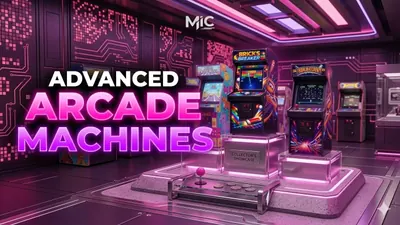 Arcade MachinesSeven playable arcade games in real cabinets, with leaderboards and bets.View script →
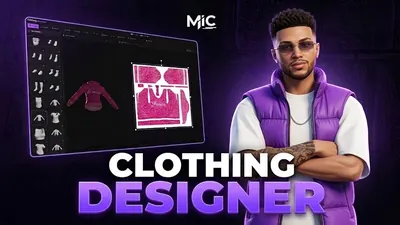 Clothing DesignerDesign clothing inside FiveM — brush, layers, image import and AI — then wear it.View script →