FiveM NUI with React and Vite: setup, callbacks and browser dev
Build a FiveM NUI with React and Vite: ui_page and files in fxmanifest, base './', SendNUIMessage, RegisterNUICallback, SetNuiFocus and developing in the browser.
Plain HTML works for a small NUI, but a real interface is easier with React. The part that trips people up is not React, it is the glue: the manifest, the build output paths, and how messages go back and forth.
This article sets up a React and Vite NUI that loads in FiveM, talks to Lua in both directions, and can be built in a normal browser tab.
Project layout
Put the interface in a web folder inside the resource and create it with Vite:
cd my_script
npm create vite@latest web -- --template react
cd web
npm install
The result:
my_script/
  fxmanifest.lua
  client/main.lua
  web/
    package.json
    vite.config.js
    src/
dist/ (created by the build)vite.config: base './'
FiveM loads your page from a nui:// address, not from a web server root. Vite's default asset paths start with /, which then point to nowhere and leave you with a blank page. Make them relative:
// web/vite.config.js
import { defineConfig } from 'vite'
import react from '@vitejs/plugin-react'

export default defineConfig({
  plugins: [react()],
  base: './',
  build: { outDir: 'dist' },
})
Then build:
npm run buildfxmanifest.lua
Point ui_page at the built index.html and ship the whole dist folder to the player with files:
fx_version 'cerulean'
game 'gta5'

ui_page 'web/dist/index.html'

files {
    'web/dist/index.html',
    'web/dist/**',
}

client_script 'client/main.lua'
Only the files listed in files are sent to players. If an image or a font is missing in game, the file glob did not include it. Keep node_modules and src out of the list: players do not need them.
Lua to the UI: SendNUIMessage
The client script sends a message and gives the interface focus:
local open = false

local function setOpen(state)
    open = state
    SetNuiFocus(state, state)
    SendNUIMessage({ action = 'setVisible', visible = state, data = { name = 'Mic' } })
end

RegisterCommand('myui', function()
    setOpen(not open)
end, false)
SetNuiFocus(hasFocus, hasCursor) gives the keyboard and mouse to the page. Always give it back, or the cursor sticks: see NUI focus stuck cursor.
In React, listen for the message:
import { useEffect, useState } from 'react'

export default function App() {
  const [visible, setVisible] = useState(false)
  const [name, setName] = useState('')

  useEffect(() => {
    const onMessage = (event) => {
      const { action, visible, data } = event.data
      if (action === 'setVisible') {
        setVisible(visible)
        if (data) setName(data.name)
      }
    }
    window.addEventListener('message', onMessage)
    return () => window.removeEventListener('message', onMessage)
  }, [])

  if (!visible) return null
  return <div className="panel">Hello {name}</div>
}
A page that renders nothing when hidden is the usual pattern, since the NUI page itself stays loaded.
UI to Lua: fetch and RegisterNUICallback
For the other direction, the page POSTs to a URL on your resource. GetParentResourceName() is a function FiveM provides to the page and returns the resource name:
export async function nuiPost(eventName, data = {}) {
  const resource = window.GetParentResourceName ? window.GetParentResourceName() : 'my_script'
  const resp = await fetch(`https://${resource}/${eventName}`, {
    method: 'POST',
    headers: { 'Content-Type': 'application/json; charset=UTF-8' },
    body: JSON.stringify(data),
  })
  return resp.json()
}<button onClick={() => nuiPost('close')}>Close</button>In Lua, handle it. The callback must be called, or the request stays pending:
RegisterNUICallback('close', function(data, cb)
    setOpen(false)   -- gives focus back
    cb({ ok = true })
end)
data is the decoded JSON body and cb answers the fetch. Anything you pass to cb comes back as the response.
Develop in the browser
Rebuilding and restarting the resource for every CSS change is slow. Run Vite and work in a normal browser tab:
npm run devOutside the game, window.GetParentResourceName does not exist and nobody sends you messages, so mock both:
export const isBrowser = !window.invokeNative

// in main.jsx, in dev only
if (isBrowser) {
  setTimeout(() => {
    window.postMessage({ action: 'setVisible', visible: true, data: { name: 'Mic' } }, '*')
  }, 500)
}
The nuiPost function above already falls back to a default resource name. In the browser, the request simply fails, so catch it or skip the call when isBrowser is true. Use a dark or checkered background in dev, since the real game shows the world behind the page.
Iterating inside the game
For a final check in game, build and restart only the resource:
npm run buildthen ensure my_script in the server console. With vite build --watch, the files rebuild every time you save, and you only restart the resource.
Common problems
- Blank page. Missing
base: './', orfilesdoes not includeweb/dist/**. - Nothing happens when clicking. The
RegisterNUICallbackname does not match the fetch URL, orcbis never called. - Cursor stuck after closing. Missing
SetNuiFocus(false, false)on every close path, including a resource restart. - Fonts and images missing in game. They are referenced by absolute path, or are not in
dist. - Message never arrives. The page was not loaded yet, or
actionnames differ between Lua and the listener.
Checklist
| Symptom | Fix |
|---|---|
| Blank UI in game, works in browser | base: './' in vite.config, then npm run build |
| Files missing for players | files { 'web/dist/**' } in fxmanifest.lua |
| Button does nothing | Match the RegisterNUICallback name and call cb |
| Cannot reach the game from the page | fetch to https://${GetParentResourceName()}/name |
| Cursor does not come back | SetNuiFocus(false, false) when closing |
| Developing without the game | Run vite, mock postMessage and GetParentResourceName |
Quick answers
Why is my React NUI a blank page in FiveM?
Usually the build uses absolute asset paths. Set base: './' in vite.config, rebuild, and make sure files in fxmanifest.lua includes the whole web/dist folder.
How does the UI send data back to the game?
With a fetch POST to https://${GetParentResourceName()}/eventName, handled in Lua by RegisterNUICallback('eventName', ...), which must call its callback.
Can I develop the NUI without starting FiveM?
Yes. Run vite in the browser, detect that you are outside the game, and send fake messages with window.postMessage to mock what Lua would send.
Scripts that skip this problem
 Mic PhoneA foldable phone that unfolds into a tablet and carries onto a player's real phone.View script →
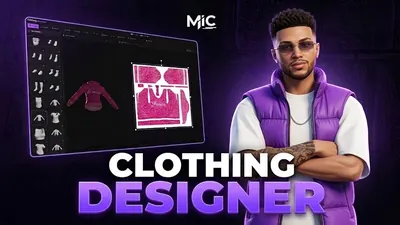 Clothing DesignerDesign clothing inside FiveM — brush, layers, image import and AI — then wear it.View script →
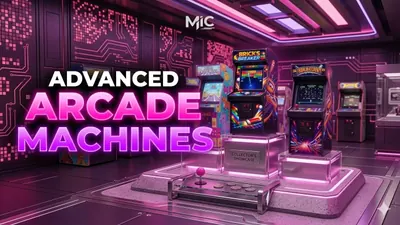 Arcade MachinesSeven playable arcade games in real cabinets, with leaderboards and bets.View script →