Get and set vehicle properties in FiveM: lib, ESX and QBCore
Save and restore vehicle mods, colours and extras in FiveM: lib.getVehicleProperties, ESX.Game.GetVehicleProperties, QBCore.Functions.GetVehicleProperties, SetVehicleModKit and the database.
Typical symptoms:
A car comes out of the garage as a stock car: no colour, no turbo, no wheels, plain plate.A vehicle's look and tuning are called its properties. To keep them, you read them from a spawned vehicle, store them as JSON, and apply them to the next one you spawn. This article shows the function each framework provides, the one rule about the mod kit, and how to save the result in the database.
What properties contain
A properties table holds everything the garage must restore: model, plate, colours, livery, mods by index, wheel type, tyre smoke, neon, window tint, extras and health values. It is a plain Lua table, so you turn it into text with json.encode for storage.
ox_lib
If ox_lib is on your server, this is the shortest way, and the only one you need on QBox:
-- client
local vehicle = GetVehiclePedIsIn(PlayerPedId(), false)
local props = lib.getVehicleProperties(vehicle)

-- later, on a spawned vehicle
lib.setVehicleProperties(vehicle, props)
Both are client functions. They work with any framework because they read the game directly.
ESX
ESX has its own pair on the client:
local props = ESX.Game.GetVehicleProperties(vehicle)

ESX.Game.SetVehicleProperties(vehicle, props)
Get the object first with ESX = exports['es_extended']:getSharedObject(). If ESX is nil, see fixing esx:getSharedObject.
QBCore
QBCore has the same two functions on the client:
local QBCore = exports['qb-core']:GetCoreObject()

local props = QBCore.Functions.GetVehicleProperties(vehicle)

QBCore.Functions.SetVehicleProperties(vehicle, props)
On QBox, use the ox_lib pair from above.
Tip: if you write a script that has to work on all three frameworks, check which one is running and call the matching pair, or just use ox_lib everywhere since it is already a dependency of most modern servers.
SetVehicleModKit comes first
The game ignores SetVehicleMod until the vehicle has a mod kit set. The functions above handle it, but if you write your own apply code, do it in this order:
SetVehicleModKit(vehicle, 0)

SetVehicleMod(vehicle, 11, 3, false)   -- engine, level 3
SetVehicleMod(vehicle, 12, 2, false)   -- brakes
ToggleVehicleMod(vehicle, 18, true)    -- turbo
The first argument of SetVehicleModKit is the kit, and 0 is the one everyone uses. The mod types are numbers: 11 is the engine, 12 brakes, 13 transmission, 15 suspension, 16 armour, and 18 is the turbo, which is toggled instead of set. Colours, wheels, neon and tint have their own natives such as SetVehicleColours, SetVehicleWheelType and SetVehicleNeonLightEnabled.
Writing this by hand is rarely worth it. It is long, and the library already covers every case. Use it for a one off tweak, not for a garage.
Save to the database
The properties are stored as JSON text in a long text column. The usual flow is:
- The client reads the properties from the vehicle.
- It sends them to the server with the plate.
- The server encodes and saves them.
-- client
local props = lib.getVehicleProperties(vehicle)
TriggerServerEvent('my_garage:saveProps', props.plate, props)-- server
RegisterNetEvent('my_garage:saveProps', function(plate, props)
local src = source
-- check here that this player owns that plate before saving
MySQL.update('UPDATE owned_vehicles SET vehicle = ? WHERE plate = ?', {
json.encode(props), plate
})
end)The same call on QBCore and QBox writes the mods column of player_vehicles. The column names are in the garage tables article.
Warning: never trust the plate and the properties from the client without checking ownership on the server. Otherwise a player can overwrite the vehicle of someone else. See securing server events.
Restore when the vehicle spawns
Read the JSON, decode it, then apply it after the vehicle exists on this client:
local row = MySQL.single.await('SELECT vehicle FROM owned_vehicles WHERE plate = ?', { plate })
local props = json.decode(row.vehicle)

-- send props to the client that owns the car, which applies:
lib.setVehicleProperties(vehicle, props)
The rules for applying:
- The vehicle must exist and be loaded. Apply right after
CreateVehicle, with a wait onDoesEntityExistfor networked ones. See spawning vehicles. - The model must be the same. Properties of a different model apply the wrong mod indexes.
- Run it on the client that has control of the vehicle. Applying from a client that does not own it can fail.
Common problems
Mods lost after storing. The save ran after the car was deleted, so you saved an empty table. Read the properties first, then delete.
Plate changes after restoring. The saved plate is part of the properties. If you spawn with one plate and apply properties with another, the properties win. Make sure both match, or the keys and database stop matching.
Colours are wrong. A custom colour is stored with its own RGB values, which some old scripts do not restore. Use the current function of your framework.
JSON too large or invalid. The vehicle column must be a long text type, and the data must come from json.encode. A table with the keys in a mixed numeric and string form can encode as a list instead of an object, so always load and compare one saved row when you debug.
Custom or addon cars. Custom mod parts depend on the model's meta and its stream. If a part is missing from the model, the index does nothing. See adding addon cars.
Checklist
| Symptom | Fix |
|---|---|
| Car spawns stock | Apply properties after the vehicle exists, with lib.setVehicleProperties or the framework function |
SetVehicleMod does nothing |
Call SetVehicleModKit(vehicle, 0) first |
| Properties work on client only | Get and set run on the client, save the result on the server |
| Plate changes after restore | Keep the plate in the properties and the spawn identical |
| Anyone can overwrite a car | Check plate ownership on the server before saving |
| Mods lost on store | Read the properties before deleting the vehicle |
| QBox server | Use the ox_lib pair |
Quick answers
Why do my vehicle mods not apply after spawning?
Mods only apply once the mod kit is set with SetVehicleModKit(vehicle, 0). The property functions do this for you, but a hand written loop of SetVehicleMod calls needs it first. The vehicle must also exist and be loaded.
Do these functions run on the server?
No. Getting and setting properties uses client natives, so run them on the client, and send the result to the server to save it.
Which one should I use on QBox?
The ox_lib versions, lib.getVehicleProperties and lib.setVehicleProperties. QBox is built around ox_lib, and the same functions also work on ESX and QBCore servers that run ox_lib.
Scripts that skip this problem
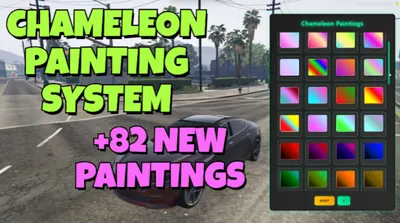 Chameleon Paints82 colour-shifting chameleon paints in one click-to-apply menu.View script →
 Advanced BoostingTablet-driven vehicle boosting: contracts from class D to S+, crews and a live queue.View script →
 Car BombPlant, detect and defuse vehicle bombs — with a detonator phone and a C4 minigame.View script →