How to sell FiveM scripts: Tebex, Cfx.re escrow, packaging and support
Selling FiveM scripts step by step: a Tebex store linked to Cfx.re escrow, packaging the resource, versioning and changelogs, docs, Discord support and licensing.
You wrote a script that works on your server, and other server owners would pay for it. Between "it works" and "people can buy it" there is a store, a delivery method, packaging, and support. This guide goes through each step in the order you will meet them.
Choose where to sell
Most FiveM scripts are sold through a Tebex store. Tebex handles payments, taxes, refunds, discount codes and delivery. For protected delivery, you link your Tebex store with your Cfx.re account, and the script is delivered as an asset escrow resource: the buyer's Cfx.re account is granted access, and the encrypted files only run for that account.
The store needs to be presentable. A theme gives it product pages, categories and a clean checkout; the Tebex template in the Mic Scripts store is one option:
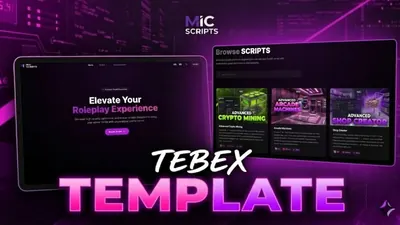 Tebex TemplateA code-free premium theme for your Tebex store, edited entirely from the Tebex panel.from €30.25View script →
Follow the current Tebex and Cfx.re documentation for how to link the accounts, since the menus and requirements change.
Prepare the resource
A sellable resource is more than the Lua files. Check each point before you upload:
fxmanifest.luawithfx_version 'cerulean',game 'gta5', alua54 'yes'line if you use it,dependencylines for ox_lib, oxmysql or a framework, and aversion.- A
config.luawith every value a buyer needs to change: prices, locations, keybinds, language, framework choice. - Locales, so non-English servers can use it. See translatable scripts.
- SQL in a file, such as
install.sql, if the script needs tables. Ideally the script creates its own tables on first start, so buyers do not forget. - A README with install steps, dependencies, the
server.cfglines to add, and the first-run test. - Items and jobs for ESX, QBCore and QBox if the script uses them. Provide snippets for each, as in adding ox_inventory items and adding a job on ESX.
Decide which files stay open. Config, locales and framework bridges are the usual ones; see escrow_ignore.
Upload and test the escrow build
Upload the resource to the Cfx.re portal as an escrow asset, link it to the Tebex package, then download it back as a buyer would and run it on a clean server. This catches missing open files and encryption problems before a customer does. escrow lack entitlement is the error buyers will see if the key and account do not match, so you will answer that question often.
Tip: buy your own product once with a different account. It is the only way to test the whole path from checkout to a running resource.
Versioning and changelogs
Use semantic versions: 1.0.0, 1.1.0 for features, 1.1.1 for fixes. Put the version in the manifest:
version '1.2.0'Keep a CHANGELOG.md in the resource and in the store description:
## 1.2.0
- Added: config option for a cooldown
- Fixed: error when the player has no job
- Changed: locale files use the new key names (see README)
Say in the changelog when a change needs buyers to edit their config or database. Surprises on update are the most common reason for bad reviews.
Documentation
A good page of docs prevents a hundred support messages. It does not need to be fancy:
- Installation in numbered steps, with the exact
ensurelines and start order. - Configuration explained, key by key.
- Exports and events other scripts can use, with examples.
- Troubleshooting: the three errors people will hit and their fixes.
Screenshots and a short video of the script in use help buyers decide before they pay.
Support
Decide how you provide support and say so on the product page. A Discord server works well: a channel per product, a role for buyers, and pinned FAQ messages. Set expectations on reply times, and write down which problems you cover (bugs in your script) and which you do not (a conflict with an unrelated heavily modified resource).
Answer the same question twice, and it belongs in the docs.
Licensing basics
State the terms where buyers can see them, in the store description or a LICENSE file:
- One license, one server is the common model: the buyer may run the script on their own server.
- No redistribution or resale of the files, open ones included.
- What buyers may change: they can edit open files for their own use.
- Refunds and updates: say whether updates are included and for how long.
Escrow enforces access to the encrypted files, but the terms cover the rest. If your terms need to be legally watertight, ask a professional; this guide is not legal advice.
Checklist
| Symptom | Fix |
|---|---|
| Buyers cannot configure the script | Open config.lua and locale files with escrow_ignore |
| Entitlement error on a buyer's server | Check the Cfx.re account and key; see the escrow guide |
| Tables missing on first start | Ship SQL or create the tables on start |
| Complaints after updates | Add a changelog that lists breaking changes |
| Same support question repeats | Put the answer in docs and pin it |
| Unclear what buyers may do | Write licensing terms on the product page |
Quick answers
How are paid FiveM scripts delivered?
Through Tebex linked with your Cfx.re account. The resource is uploaded as an escrow asset, and a purchase gives the buyer's Cfx.re account access to download it.
Do I need to encrypt my scripts?
Escrow encrypts the Lua you do not mark as open. You choose which files stay readable, such as config and locale files, with escrow_ignore in the manifest.
What should a buyer receive besides the script?
A README with installation steps, a readable config, SQL if the script needs tables, a changelog, and a clear way to get support.
Scripts that skip this problem
Tebex TemplateA code-free premium theme for your Tebex store, edited entirely from the Tebex panel.View script → Item Creator V2Create usable items with animations, props, effects and more — without writing code.View script →
 Quest CreatorA visual editor for quests and NPC dialogues, built node by node in game.View script →